The aim of this React state tutorial is to answer the most common questions about React state and explain this concept in a very simple terms.
What you will learn:
- What is React state?
- How to set a default state in React?
- How to access the data from the state?
- Global vs Local State
Already familiar with React? Try the challenge at the bottom of the article.
What is React state?
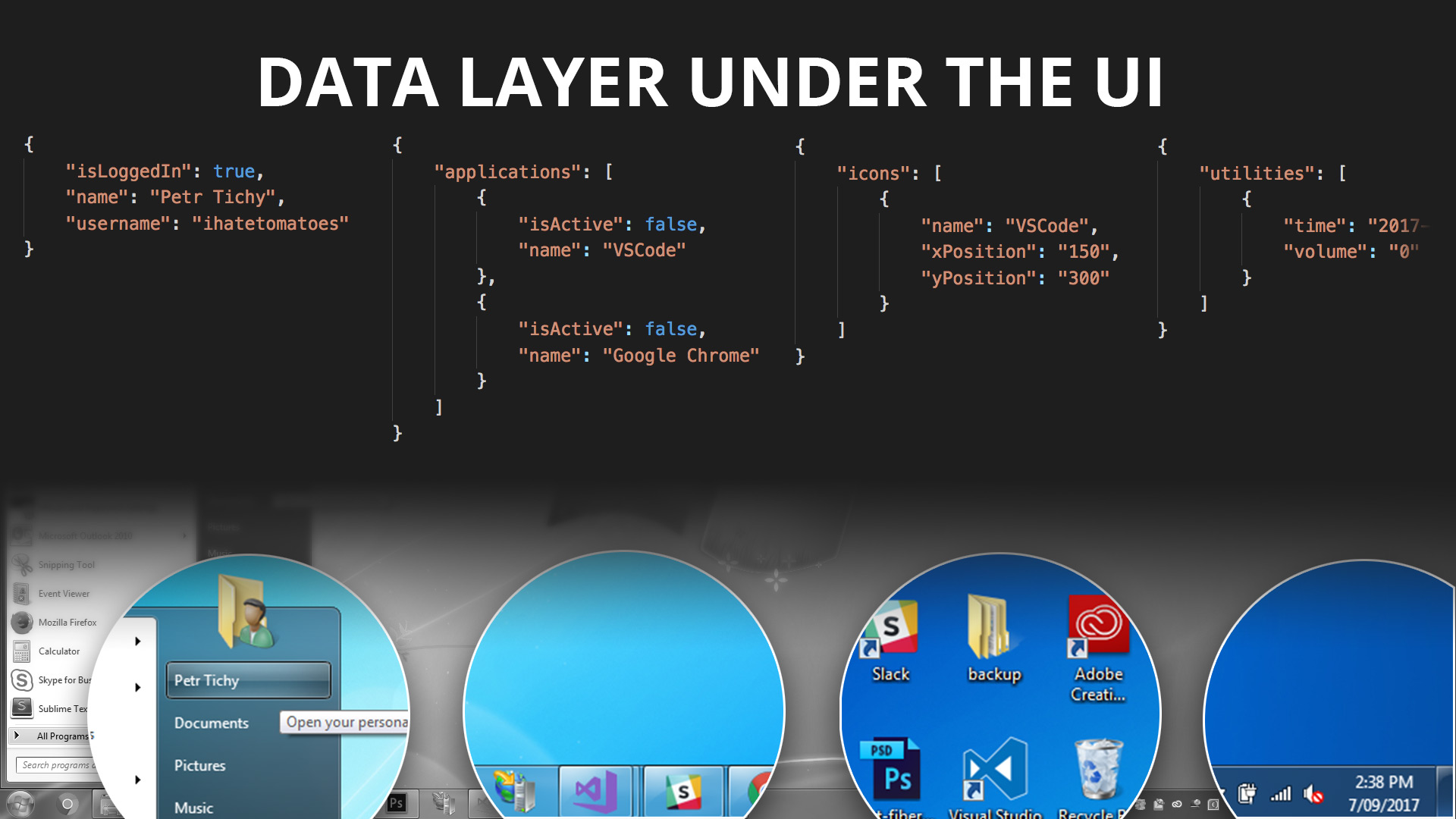
Forget coding for a moment and have a look at the following image.
Click to view a large resolution image.
We are all familiar with the concept of a desktop on our computers right?
Just by looking at the desktop we can answer all of these questions:
- Who is the current user?
- Which applications are installed and which ones are opened?
- How many desktop icons we have and what is their position?
- What is the current date and time?
If the desktop was a React application we could store all of these data in the state of our app.
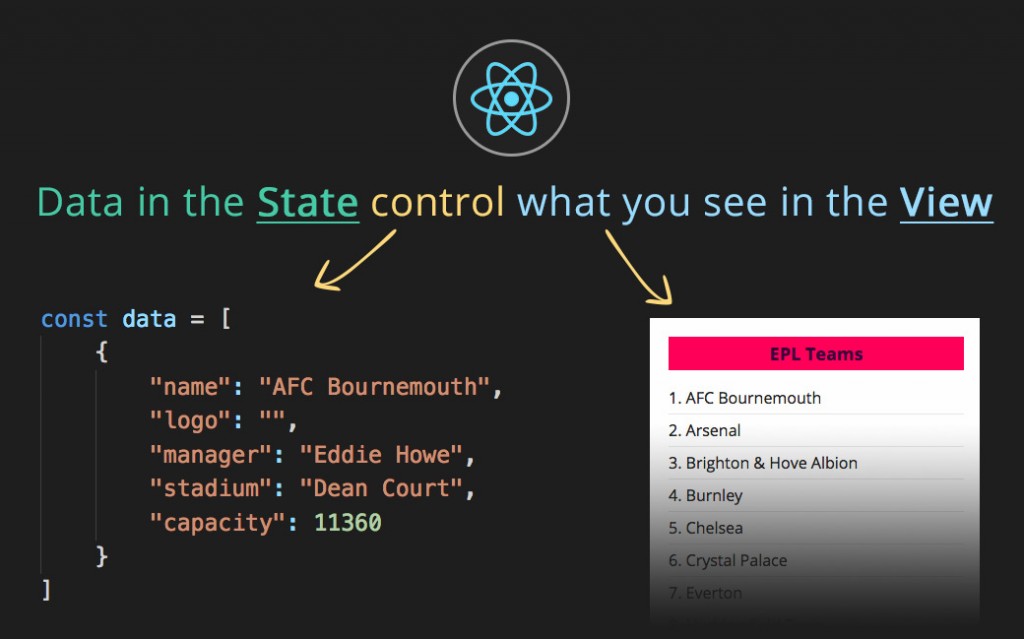
Think about the React State as a JavaScript object containing all the necessary information needed for our application view.
Click to view a large resolution image.
React State is essentially a data layer for your React application.
What is in the state dictates how your application or components look in the browser.
How to set a default state in React?
The first thing we need do is to set the initial state of our “application”.
Let’s say we want the state to contain information about all English Premier League teams and then display them in a list like this:
For the purpose of this tutorial we will create a simple constant data that will be an array of objects.
Each object then represents each club and contains all the necessary info such as name, logo, manager, stadium and capacity.
01
02
03
04
05
06
07
08
09
10
|
const data = [
{
"name": "AFC Bournemouth",
"logo": "",
"manager": "Eddie Howe",
"stadium": "Dean Court",
"capacity": 11360
},
...
]
|
Then inside of the
App constructor we will use this
data and set it to the state.
01
02
03
04
05
06
07
08
09
10
11
12
13
14
15
|
class App extends React.Component {
constructor(props){
super(props);
this.state = {
teams: data
}
}
render(){
...
}
}
|
Once we set the state in the constructor, we can now access the data inside of the render method by targeting {this.state.teams}.
This will return an array of objects and we can loop over to it.
How to access the data from the state?
Here is an example how we can access the teams from the state and render li for each of them.
01
02
03
04
05
06
07
08
09
10
|
render(){
const {teams} = this.state;
return(
<ul>
{
teams.map(team => <li key={team.name}>{team.name}</li>)
}
</ul>
)
}
|
On line 2 we destructure the teams from the state and on line 6 we are looping through each of the teams and rendering the team.name on the page.
When generating multiple elements using the .map() method, we also need to include a key attribute, that needs to be unique for each of the lielements.
Explore the following demo to see the above code in action:
const data = [
{
"name": "AFC Bournemouth",
"logo": "",
"manager": "Eddie Howe",
"stadium": "Dean Court",
"capacity": 11360
},
{
"name": "Arsenal",
"manager": "Arsène Wenger",
"stadium": "Emirates Stadium",
"capacity": 59867
},
{
"name": "Brighton & Hove Albion",
"manager": "Chris Hughton",
"stadium": "Falmer Stadium",
"capacity": 30666
},
{
"name": "Burnley",
"manager": "Sean Dyche",
"stadium": "Turf Moor",
"capacity": 21944
},
{
"name": "Chelsea",
"manager": "Antonio Conte",
"stadium": "Stamford Bridge",
"capacity": 41631
},
{
"name": "Crystal Palace",
"manager": "Frank de Boer",
"stadium": "Selhurst Park",
"capacity": 26309
},
{
"name": "Everton",
"manager": "Ronald Koeman",
"stadium": "Goodison Park",
"capacity": 39595
},
{
"name": "Huddersfield Town",
"manager": "David Wagner",
"stadium": "Kirklees Stadium",
"capacity": 24169
},
{
"name": "Leicester City",
"manager": "Craig Shakespeare",
"stadium": "King Power Stadium",
"capacity": 32273
},
{
"name": "Liverpool",
"manager": "Jürgen Klopp",
"stadium": "Anfield",
"capacity": 55017
},
{
"name": "Manchester City",
"manager": "Pep Guardiola",
"stadium": "City of Manchester Stadium",
"capacity": 53394
},
{
"name": "Manchester United",
"manager": "José Mourinho",
"stadium": "Old Trafford",
"capacity": 75643
},
{
"name": "Newcastle United",
"manager": "Rafael Benítez",
"stadium": "St James' Park",
"capacity": 52354
},
{
"name": "Southampton",
"manager": "Mauricio Pellegrino",
"stadium": "St Mary's Stadium",
"capacity": 32384
},
{
"name": "Stoke City",
"manager": "Mark Hughes",
"stadium": "bet365 Stadium",
"capacity": 30089
},
{
"name": "Swansea City",
"manager": "Paul Clement",
"stadium": "Liberty Stadium",
"capacity": 21088
},
{
"name": "Tottenham Hotspur",
"manager": "Mauricio Pochettino",
"stadium": "Wembley Stadium",
"capacity": 90000
},
{
"name": "Watford",
"manager": "Marco Silva",
"stadium": "Vicarage Road",
"capacity": 21000
},
{
"name": "West Bromwich Albion",
"manager": "Tony Pulis",
"stadium": "The Hawthorns",
"capacity": 26688
},
{
"name": "West Ham United",
"manager": "Slaven Bilić",
"stadium": "London Stadium",
"capacity": 60000
}
]
const Team = ({team, index}) => {
return (
<li className="team">
{index+1}. {team.name}
</li>
)
}
class App extends React.Component {
// fires before component is mounted
constructor(props) {
// makes this refer to this component
super(props);
// set local state
this.state = {
teams: data
};
}
render() {
const {teams} = this.state;
return (
<div className="wrapper">
<h1>EPL Teams</h1>
<ul className="teams">
{
teams.map((team, index) => {
const {name} = team;
return <Team key={name} index={index} team={team} />
})
}
</ul>
</div>
)
}
}
ReactDOM.render(
<App />,
document.getElementById('root')
);
Global vs Local State
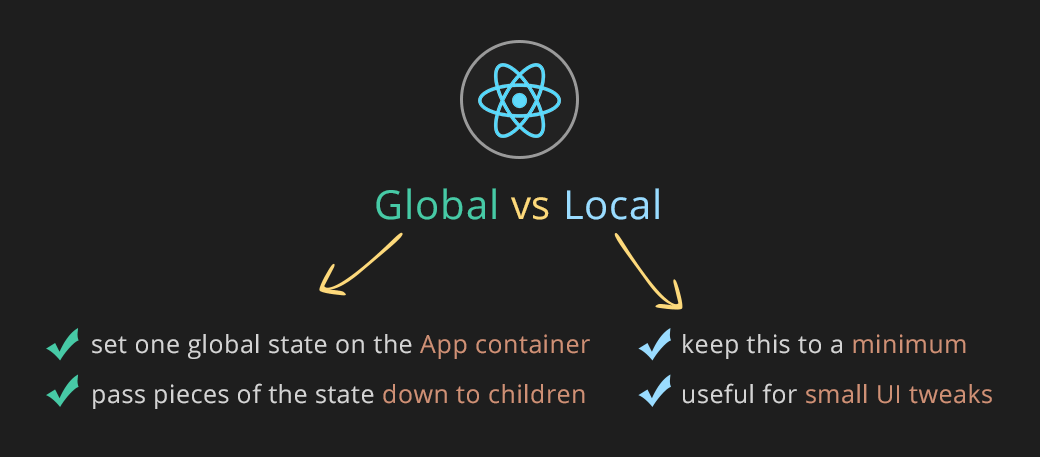
Each individual component can have it’s own state. This is sometimes referred to as a local state.
Local state is only included inside of one component and is not shared across any other siblings or parent components.
This is great for small UI tweaks, but in general you should keep the number of components with a local state to minimum.
To make it more manageable, it is recommended to create one global state, usually on the main parent container App and then pass the individual pieces of the global state to the child components as a prop.
Having most of your application state in the top level component will make it easier to manage any changes.
Do I need to learn Redux or Mobx?
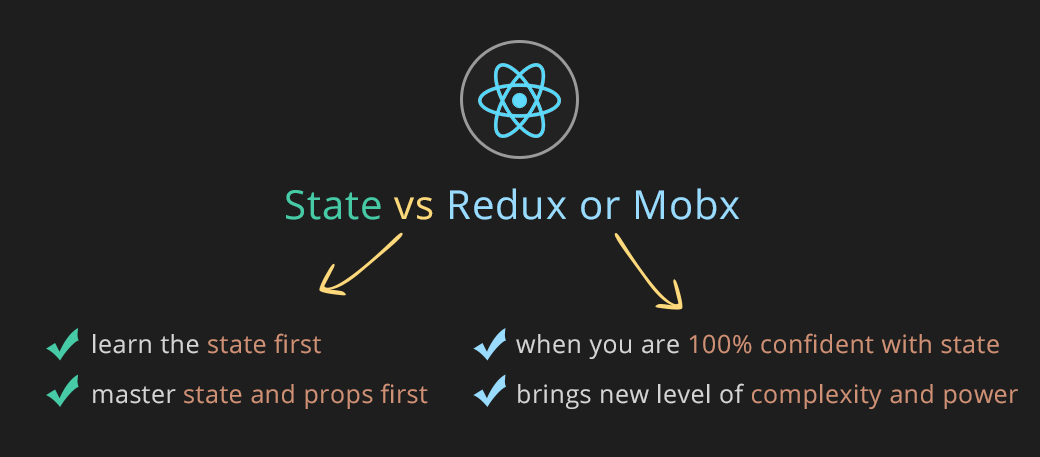
No, you don’t. I encourage you to try to get the most out of the state first.Especially if you are just starting with React.
Once you master the power of state and passing it down as props, you can substitute the global state with a state management libraries such as
Redux or
Mobx.
Only start learning Mobx or Redux once you get to a point when you are passing down too many props between components and when you start asking yourself – there must be a better way to manage the state.
Get to the pain point first before you take on any state management library.
There is a lot you can do purely with the React state.
Conclusion and your challenge
Now you know how to set initial state and how to render the data on the page.
Your challenge
const data = [
{
"name": "AFC Bournemouth",
"logo": "",
"manager": "Eddie Howe",
"stadium": "Dean Court",
"capacity": 11360
},
{
"name": "Arsenal",
"manager": "Arsène Wenger",
"stadium": "Emirates Stadium",
"capacity": 59867
},
{
"name": "Brighton & Hove Albion",
"manager": "Chris Hughton",
"stadium": "Falmer Stadium",
"capacity": 30666
},
{
"name": "Burnley",
"manager": "Sean Dyche",
"stadium": "Turf Moor",
"capacity": 21944
},
{
"name": "Chelsea",
"manager": "Antonio Conte",
"stadium": "Stamford Bridge",
"capacity": 41631
},
{
"name": "Crystal Palace",
"manager": "Frank de Boer",
"stadium": "Selhurst Park",
"capacity": 26309
},
{
"name": "Everton",
"manager": "Ronald Koeman",
"stadium": "Goodison Park",
"capacity": 39595
},
{
"name": "Huddersfield Town",
"manager": "David Wagner",
"stadium": "Kirklees Stadium",
"capacity": 24169
},
{
"name": "Leicester City",
"manager": "Craig Shakespeare",
"stadium": "King Power Stadium",
"capacity": 32273
},
{
"name": "Liverpool",
"manager": "Jürgen Klopp",
"stadium": "Anfield",
"capacity": 55017
},
{
"name": "Manchester City",
"manager": "Pep Guardiola",
"stadium": "City of Manchester Stadium",
"capacity": 53394
},
{
"name": "Manchester United",
"manager": "José Mourinho",
"stadium": "Old Trafford",
"capacity": 75643
},
{
"name": "Newcastle United",
"manager": "Rafael Benítez",
"stadium": "St James' Park",
"capacity": 52354
},
{
"name": "Southampton",
"manager": "Mauricio Pellegrino",
"stadium": "St Mary's Stadium",
"capacity": 32384
},
{
"name": "Stoke City",
"manager": "Mark Hughes",
"stadium": "bet365 Stadium",
"capacity": 30089
},
{
"name": "Swansea City",
"manager": "Paul Clement",
"stadium": "Liberty Stadium",
"capacity": 21088
},
{
"name": "Tottenham Hotspur",
"manager": "Mauricio Pochettino",
"stadium": "Wembley Stadium",
"capacity": 90000
},
{
"name": "Watford",
"manager": "Marco Silva",
"stadium": "Vicarage Road",
"capacity": 21000
},
{
"name": "West Bromwich Albion",
"manager": "Tony Pulis",
"stadium": "The Hawthorns",
"capacity": 26688
},
{
"name": "West Ham United",
"manager": "Slaven Bilić",
"stadium": "London Stadium",
"capacity": 60000
}
]
const Team = (teams, index) => {
const team = teams.team
return (
<li className="team">
{teams.index+1}. {team.name}
</li>
)
}
class App extends React.Component {
constructor(props){
super(props)
this.state = {
teams : data
}
}
render() {
const { teams } = this.state
return (
<div className="wrapper">
<h1>EPL Teams</h1>
<ul className="teams">
{
teams.map((team, index) => {
const {name} = team;
return <Team key={name} index={index} team={team} />
})
}
</ul>
</div>
)
}
}
ReactDOM.render(
<App />,
document.getElementById('root')
);
Ref: https://codepen.io/ihatetomatoes/pen/ZJgRwZ?editors=1112